Walk clients through the space before it exists.
Look turns your 360° panoramas into an interactive tour with a floor plan, scene variants and multi-floor projects. Share the whole property with a single iCloud link.
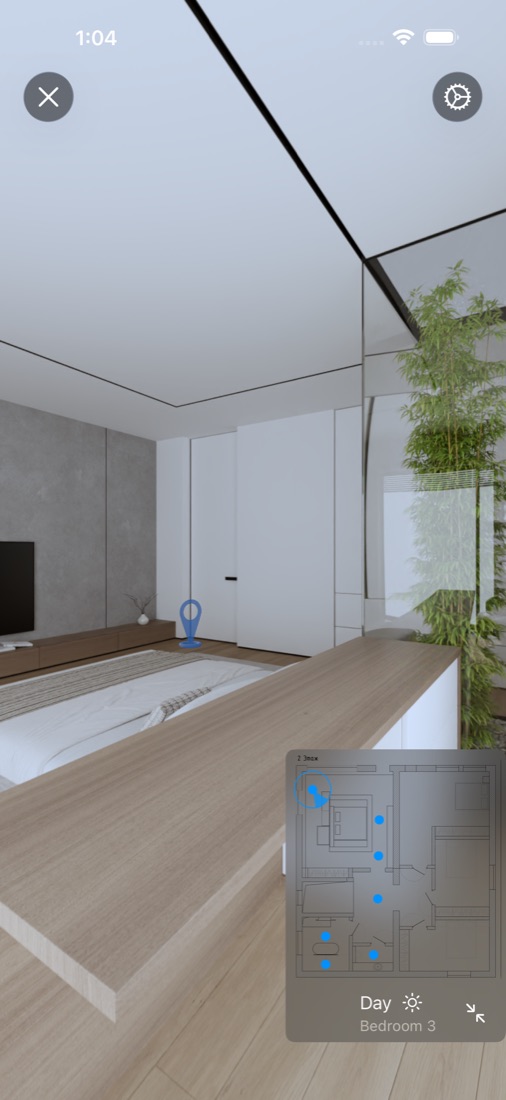
The whole tour editor, in your pocket
No desktop software, no web builder. Build, preview and share from iPhone or iPad.
Floor plan & points
Add a plan, drop shooting points with a tap and set the viewing direction for each one.
Markup in the frame
Place transitions, variant switches and comments right inside the panorama, exactly where you need them.
Scene variants
Day and night, before and after, furnished or empty — viewers flip between them inside the panorama.
Multi-floor projects
Combine floors and buildings into one Project with transitions between tours. One link for the whole property.
One iCloud link
Share with anyone who has the link or only with invited people — and revoke access with a tap.
Full immersion
Turn the device and the panorama follows. Jump between rooms on the plan or with 3D arrows in the frame.
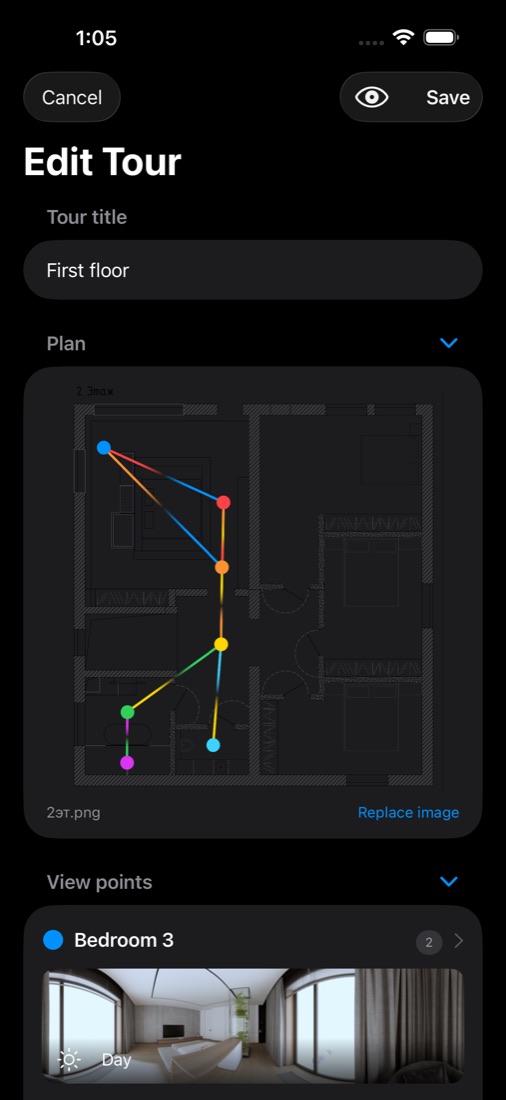
From panoramas to a tour in minutes
Import finished 360° renders or photos from Photos or Files — all at once — and assign them to points on the plan.
- Place points on the floor plan with a single tap
- Connect rooms with transitions
- Preview the tour at any moment
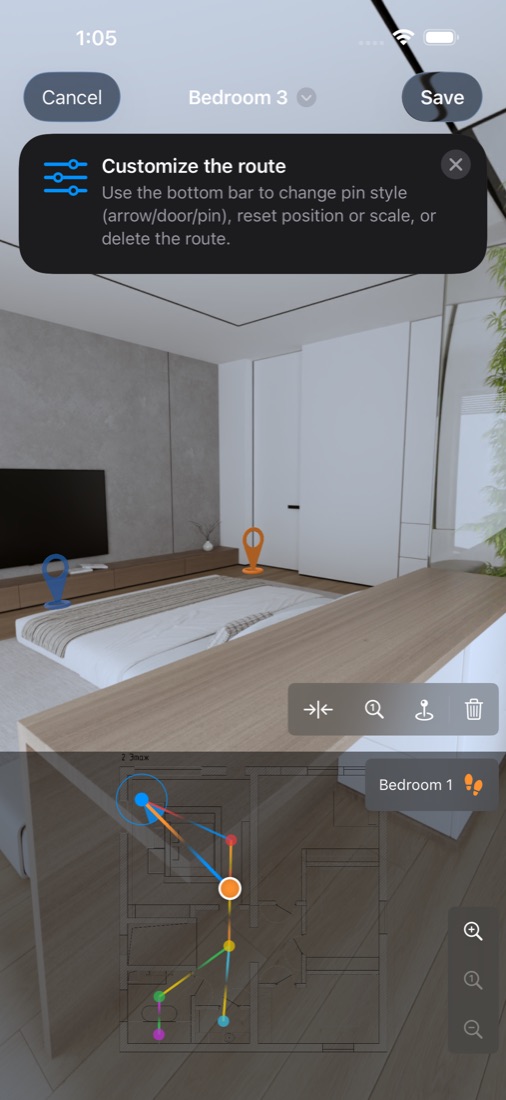
Guide the eye, right in the frame
Transitions, variant switches and comments live inside the panorama — exactly where your finger puts them.
- Arrow, door or pin styles for transitions
- Comments anchored to details
- Precise viewing direction for every point
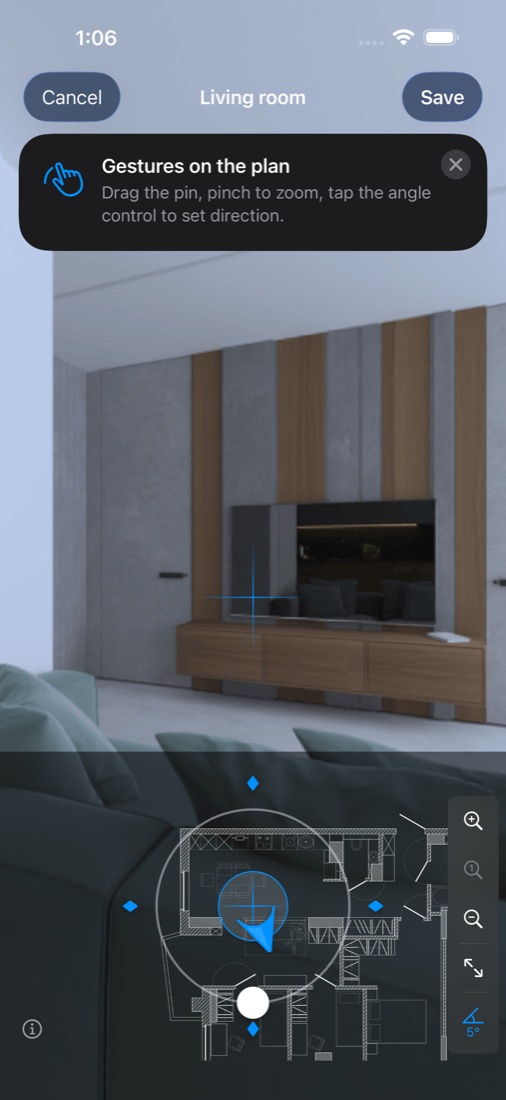
Show every option without reshooting the tour
Shoot one point in several states and let the client switch between them inside the panorama.
Free to start. Pro when you need more.
Viewing tours is always free and unlimited.
Everything you need to try your first tours.
- Create up to 2 tours
- Floor plan with unlimited shooting points
- Unlimited viewing, importing and sharing
- iCloud sync across your devices
For designers who present projects every day.
- Unlimited tours and transitions
- Scene variants: several panoramas per point
- Unlimited comments and switches in the frame
- Unlimited tours in a Project
Look Pro is available as a monthly subscription with a 7-day free trial or as an annual subscription. Prices are shown in the app before purchase and may vary by country. Subscriptions renew automatically unless cancelled at least 24 hours before the end of the current period; manage or cancel them in your Apple Account settings. See the Terms of Use.
Questions
Where do the panoramas come from?
Look works with finished equirectangular 360° images: renders from your 3D software or photos from a 360° camera. Import them from Photos or Files.
What does the client need to view a tour?
The free Look app on iPhone or iPad. Open the iCloud link you shared — the tour opens right in the app. Viewing is free and unlimited.
Who can open my shared link?
You choose: anyone with the link, or only the people you invite. You can stop sharing at any time, and the link stops working.
Do I need to create an account?
No. Look uses your Apple Account and iCloud. There is no separate sign-up.
How do I cancel Look Pro?
Open Settings on your device → your name → Subscriptions → Look, and tap Cancel Subscription. You keep Pro until the end of the paid period.